

TTSFree AI lets you go beyond the built-in voices and create custom ones that match exactly what you need. You have two options: design a completely new voice by describing it in a text prompt, or take an existing voice and fine-tune it with another prompt. Both methods are quick and give you full control over age, tone, accent, speaking style, and more.
Create a new voice with Voice Design
- Open the Design section in the app.
- Type a clear description of the voice you want. Include details such as age, gender, tone, accent, or speaking style. If you need inspiration, open the Show Example dropdown or click the Random Prompt icon.
- Select the target language.
- Click Generate and wait a moment while the app creates the voice options.
- Preview the results. When you find one you like, give it a name, add an avatar if you want, and click Save voice.
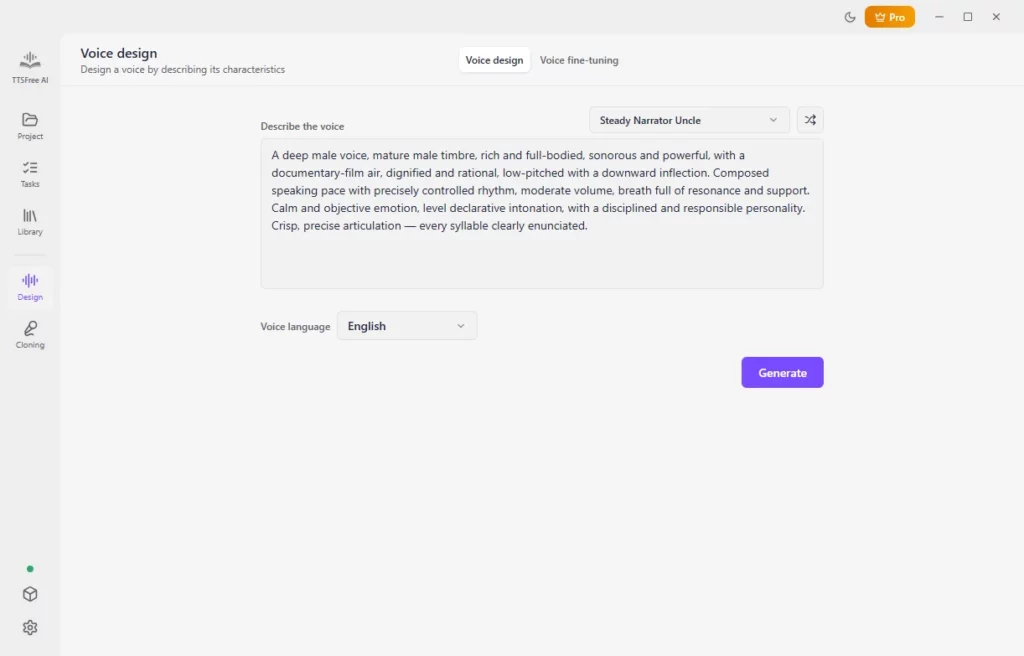
The new voice will appear in your Library under the Voice Design tab and can be used in any project.
Fine-tune an existing voice
If you already have a voice you like but want to adjust it, use the fine-tuning option.
- In the Design section, switch to Voice fine-tuning.
- Select the source voice you want to modify.
- Enter a prompt that describes the changes you want. You can also use the example prompts or the Random Prompt option for ideas.
- Choose the target language and click Generate.
- Preview the variations and save the one that works best for you.
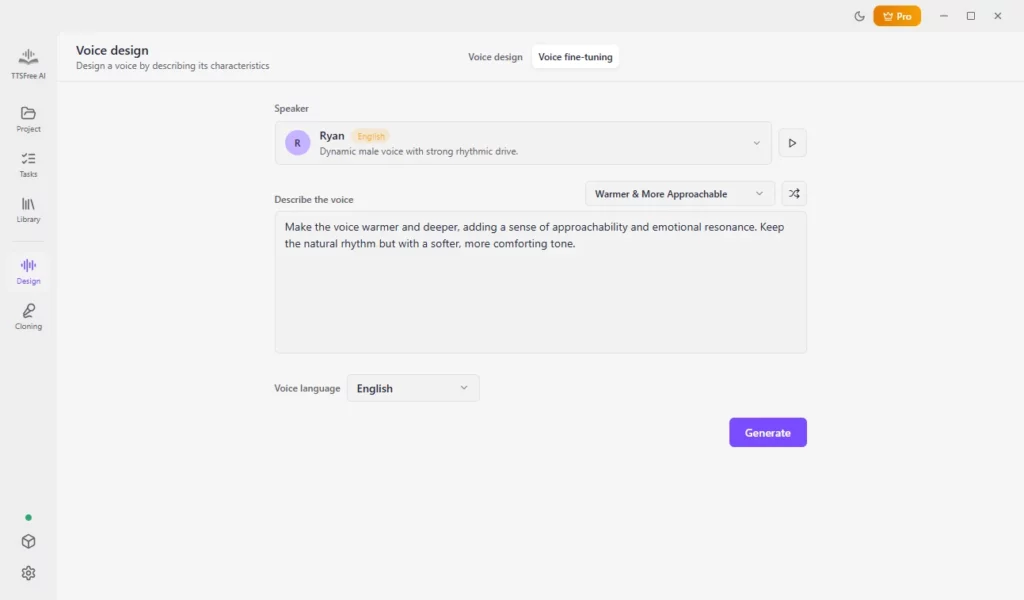
The fine-tuned voice is saved to your Library and is ready for immediate use.
How to use your designed voice for text-to-speech
Once the voice is saved, applying it is straightforward.
- Open your project and select the file you want to convert.
- Select the paragraph (or paragraphs) that should use the new voice, then click the current voice icon or the Switch voice button.
- Go to the Voice Design tab in the library and choose your custom voice.
- To apply it to the entire document, click Set as file voice.
- Click Generate and play under a paragraph, or use Generate file to convert the whole document.
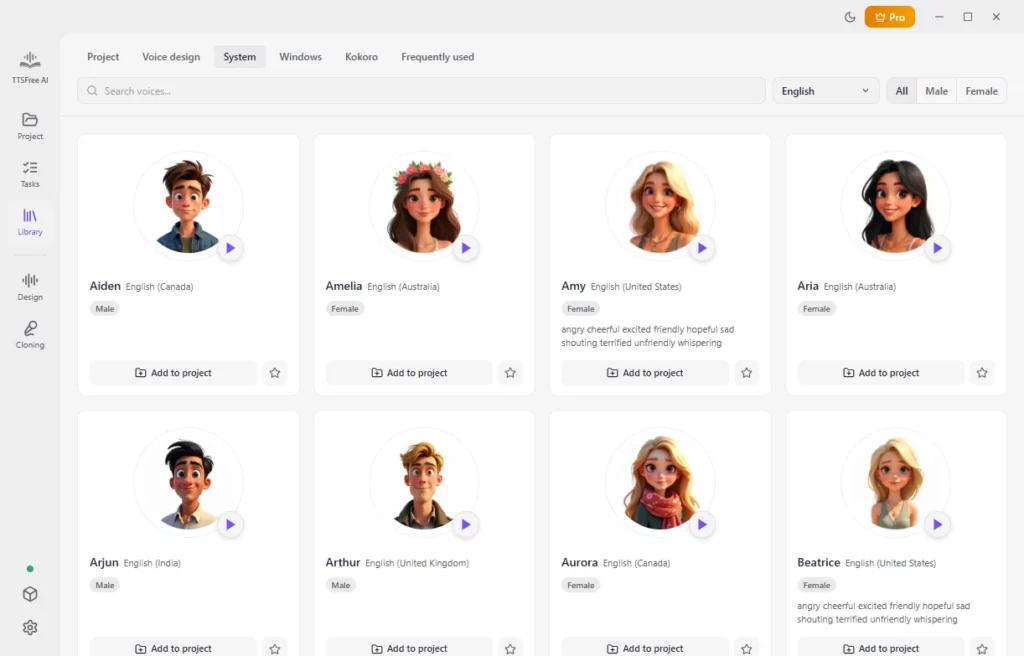
You can further adjust speed, pitch, and volume through the Voice options controls if needed.
Wrapping Up
Designing a custom AI voice with TTSFree AI only takes a few minutes and gives you much more flexibility than relying on the default options. Whether you create a completely new voice or fine-tune an existing one, the process is simple and the results are ready to use across your projects. We hope this guide helps you get the exact voice you want. Enjoy creating.